
Download Hidden – Secure Mac tracking, anti‑theft, recovery tool
Overview – Why Hidden Matters for Every Mac Owner
In an age where laptops are portable extensions of our personal and professional lives, the fear of a stolen Mac can feel overwhelming. Hidden steps in as a discreet utility designed specifically to locate a missing or stolen MacBook. By leveraging the built‑in iSight camera, Hidden can capture clear photographs of anyone handling the device, snap screenshots of the active desktop, and log technical data such as IP address, Wi‑Fi network, and geolocation.
This information is then securely transmitted to the Hidden customer portal, where owners can view real‑time updates and share evidence with law enforcement. The software has earned media attention for assisting police investigations and even empowering users to publicly expose thieves when they choose to do so. Hidden offers a tiered pricing model—Basic, Home, Business, and Ultimate—each providing a different level of monitoring, data retention, and recovery assistance.
While the core functionality is free for a limited trial, the paid plans unlock continuous background monitoring and priority support. Hidden’s promise is simple: if your Mac is stolen, you’ll have the visual proof needed to increase the odds of recovery without compromising your privacy before activation. The application runs silently in the background, only becoming active after you log into the Hidden website and flag your device as “Stolen.” This ensures that no anonymous usage statistics are sent unless you explicitly request tracking.
Hidden is built for macOS 10.12 (Sierra) and later, supporting both Intel‑based and Apple‑silicon Macs. The software integrates with macOS’s security framework, requesting only the camera and network permissions necessary for its operation. Once activated, Hidden continues to operate even if the thief attempts to reinstall the operating system, because the utility is installed at a system level and can survive a clean OS reinstall (provided the user does not perform a full hardware wipe). The combination of covert surveillance, detailed technical logs, and a user‑friendly online dashboard makes Hidden a compelling addition to any Mac security strategy.
Compatible with macOS 10.12 and newer, including macOS Ventura, macOS Monterey, and macOS Big Sur. Works on both Intel and Apple Silicon (M1, M2) Macs.
Core Features – What Hidden Does Best
- Discreet Camera Activation: Automatically turns on the iSight/FaceTime camera when the device is marked as stolen, capturing up to three photos per hour.
- Live Screenshot Capture: Takes screenshots of the desktop at the moment of activation, preserving evidence of opened files or applications.
- Technical Data Logging: Records IP address, Wi‑Fi SSID, MAC address, and geolocation data to help pinpoint the device’s current network.
- Secure Cloud Dashboard: All images and logs are uploaded to an encrypted server accessible through the Hidden web portal.
- Police‑Ready Reports: Generates a PDF report that can be submitted to law enforcement, complete with timestamps and image evidence.
- Tiered Plans with Extended Retention: Basic plan stores data for 7 days, while Ultimate plan retains logs for up to 90 days.
- Remote Deactivation: Owners can remotely stop tracking if the Mac is recovered, preventing further data collection.
- Multi‑Device Management: Manage several Macs from a single account, ideal for families or small businesses.
- Privacy‑First Design: No data is transmitted until the user marks the device as stolen, and all communications use end‑to‑end encryption.
- Automatic Updates: The app checks for security patches and feature upgrades without user intervention, ensuring the latest anti‑theft capabilities.
Installation, Usage & Real‑World Pros & Cons
Step‑by‑Step Installation Guide
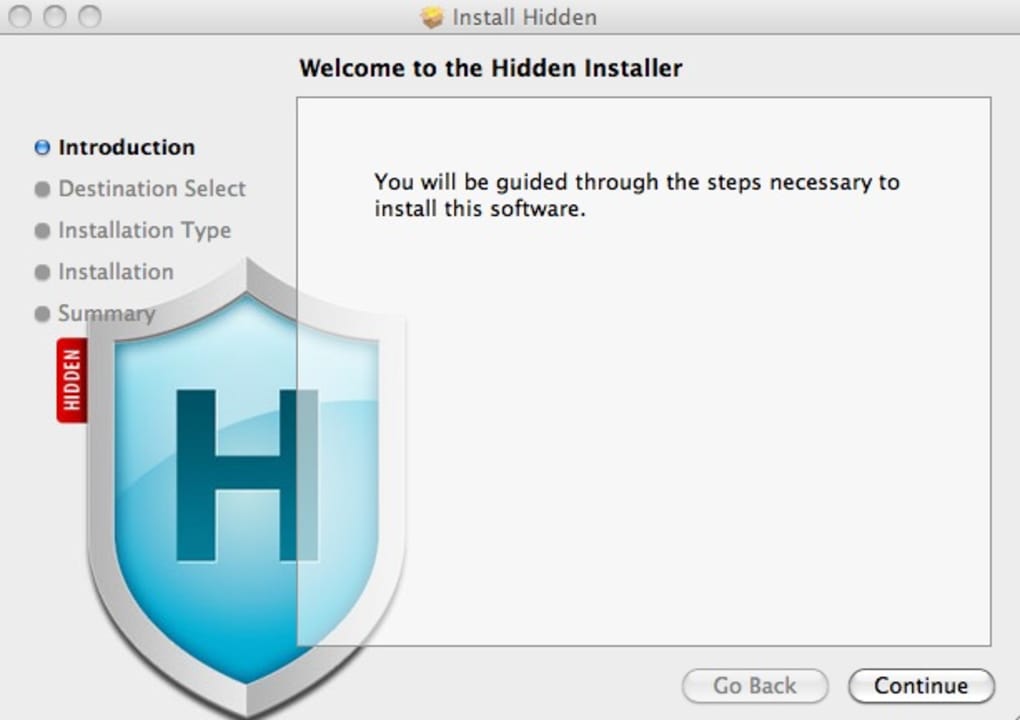
1. Download the Installer: Visit Hidden’s official download page and click the “Download for macOS” button. The file is a signed .dmg package, ensuring it’s safe and free from malware.
2.
Mount the Disk Image: Double‑click the .dmg file; a virtual drive appears on your desktop.
3. Run the Installer: Drag the Hidden app icon into your Applications folder. macOS will prompt you to confirm the move.
4. Grant Permissions: On first launch, Hidden requests access to the camera and network.
Click “Allow” in the security prompt; you may need to enter your administrator password.
5. Create an Account: After granting permissions, the app opens a web view where you register an account (email + password). This account is required for remote activation and dashboard access.
6.
Activate Monitoring: Log into the Hidden portal, add your Mac to the device list, and enable “Stolen Mode” whenever you suspect loss. The app remains dormant until you toggle this setting.
Using Hidden in Real‑Life Scenarios
Once “Stolen Mode” is activated, Hidden silently runs in the background, taking photos and screenshots as configured. The data is uploaded within minutes, and you can view it on any browser or the Hidden mobile app (available for iOS and Android). If the thief attempts to disable the app, Hidden can re‑install itself at system startup, thanks to a launch daemon installed in /Library/LaunchDaemons. This resilience makes it difficult for a casual thief to evade detection.
Pros and Cons
Pros
- Provides visual evidence that can directly aid police investigations.
- Operates completely offline until the user triggers “Stolen Mode,” preserving privacy.
- Works on both Intel and Apple‑silicon Macs, ensuring broad compatibility.
- Easy-to-use web dashboard with downloadable police‑ready reports.
- Tiered plans allow users to choose the level of data retention and support they need.
Cons
- Uninstallation requires Terminal commands, which may be intimidating for non‑technical users.
- Some users report a slight performance hit during active monitoring (camera usage).
- The free trial is limited to 7 days of data storage; longer retention requires a paid plan.
- Requires a reliable internet connection to upload images; offline theft may delay reporting.
- Legal considerations vary by jurisdiction; capturing images without consent may be restricted in some regions.
FAQ & Conclusion – Secure Your Mac Today
Is Hidden legal to use in all countries?
The legality of covertly capturing photos varies by jurisdiction. In most U.S. states, it is permissible to record images of a stolen device owned by you. However, European countries may have stricter privacy laws. Always check local regulations before activating Hidden in a foreign location.
Can Hidden survive a macOS reinstall?
Yes. Hidden installs a launch daemon in the system library, which can be restored from a backup or re‑installed automatically after a clean OS reinstall, provided the user does not wipe the entire drive.
Do I need an internet connection for Hidden to work?
Hidden can capture photos and logs offline, but the data will be queued locally until the Mac connects to the internet and can upload the evidence to the Hidden server.
How is my data protected during transmission?
All communications between the Mac and Hidden’s cloud use TLS 1.3 encryption, and the stored images are encrypted at rest with AES‑256.
Can I uninstall Hidden without using Terminal?
Officially, Hidden must be removed via a Terminal command that deletes the launch daemon and related files. This design prevents malicious removal by thieves. A step‑by‑step guide is provided on the support site for users unfamiliar with Terminal.
Conclusion – Take Control of Your Mac’s Safety Today
If you own a MacBook and value your data, investing in a dedicated anti‑theft solution is no longer optional—it’s essential. Hidden offers a blend of covert surveillance, detailed technical logs, and a user‑friendly dashboard that together dramatically increase the odds of recovery. While the uninstall process can be a bit technical, the peace of mind you gain after a theft outweighs the inconvenience. Choose the plan that fits your needs, activate “Stolen Mode” the moment you misplace your device, and let Hidden do the heavy lifting. Download Hidden now and protect your Mac before it’s too late.







